
1 month
$18 per month
One month at a time
Try the full service first
Order 1 month (opens WhatsApp in a new tab)Looking for an IPTV box in Kuwait? This guide explains which boxes, sticks and IPTV receivers work with the IPTV Kuwait subscription, what to check before you buy and how to set one up. We do not sell hardware, so the advice is impartial.
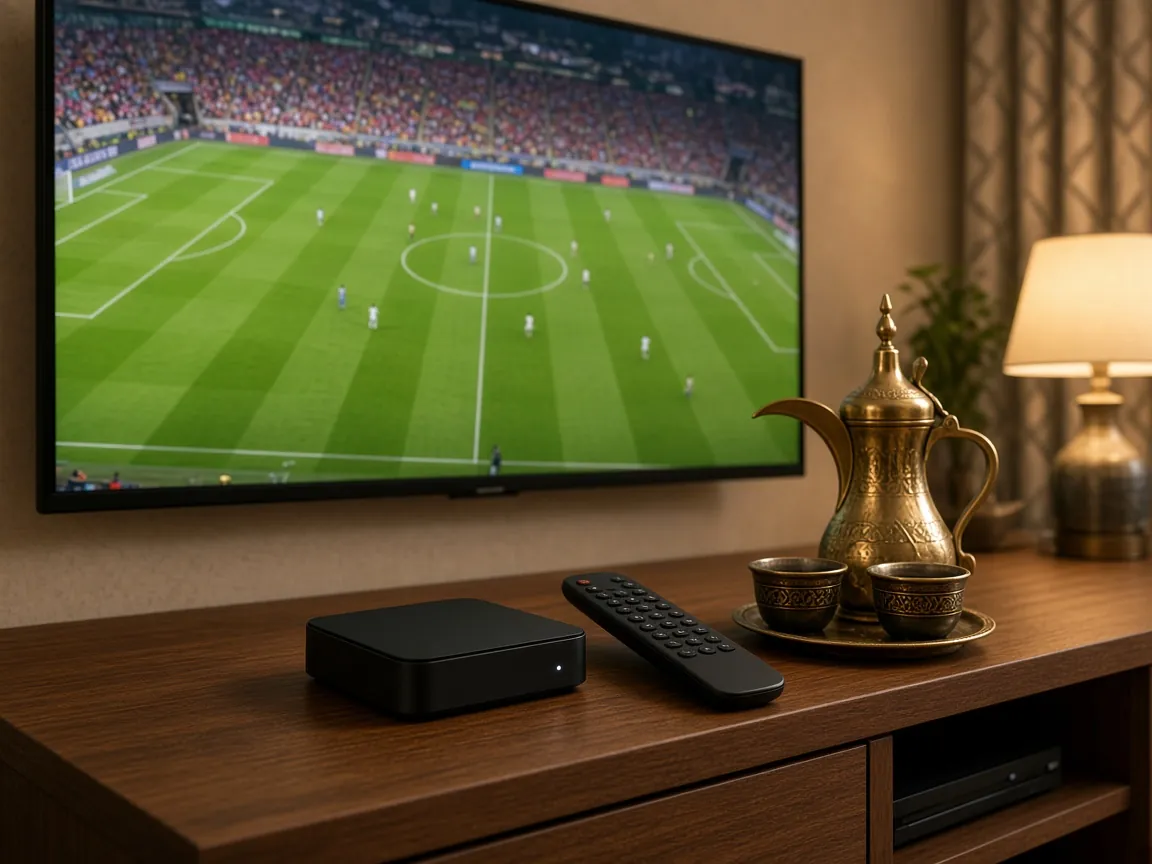
Not always. An IPTV box is simply a small computer that connects to your TV and runs an IPTV player app. If you already own a recent Samsung, LG or Android Smart TV, you can usually install a player app on the TV itself and skip the box completely; our Smart TV IPTV guide shows how.
A box or stick makes sense when:
In every case the subscription is the same. Your IPTV Kuwait login works on the box, on the TV and on your phone, so you can change devices later without changing plans.
Shops in Kuwait use these names loosely, so it helps to know what each one actually is before you compare models.
| Device | What it is | Best for | Watch out for |
|---|---|---|---|
| Android TV box | A small box running Android TV or Google TV with an app store. | Most homes. Wide app choice, Ethernet port on many models, good 4K support. | Very cheap boxes on older Android versions that never receive updates. |
| Streaming stick | A compact HDMI stick, such as the Amazon Fire TV Stick. | Bedrooms, second TVs and anyone who wants a tidy setup. | Usually Wi-Fi only, so place the router well or add an Ethernet adapter. |
| IPTV receiver | A set-top box built mainly for IPTV, sometimes combined with a satellite tuner. | Viewers who like a traditional receiver layout and remote. | Some models only support one login method, so check compatibility first. |
| Smart TV app | A player app installed directly on the TV. | Recent Smart TVs with an up-to-date app store. | Older TVs can be slow or lose access to apps. |
If you are still undecided, our article on IPTV box vs receiver vs Smart TV app compares the options in more depth, with typical living-room and bedroom setups.
You do not need the most expensive model to enjoy IPTV in Kuwait, but a few features make a real difference to how smoothly channels load and how good 4K looks.
Choose a box running Android TV or Google TV, or a well-known streaming platform, so you can install and update the player app from an official store. Avoid boxes that run an unnamed system or arrive loaded with unknown apps.
If your TV is 4K, the box should output 4K with HDR. Otherwise you will be watching 4K channels scaled down to HD without realising it.
Look for hardware support for H.265 (also called HEVC). Most 4K streams use it, and a box without hardware decoding will stutter or run hot.
An Ethernet port gives the most stable picture when the box sits next to your router. If it will use Wi-Fi, make sure it supports the 5 GHz band, which is far less crowded than 2.4 GHz in Kuwait’s busy apartment buildings.
Large channel lists and programme guides need memory. The cheapest entry-level boxes often have so little that menus lag and apps close by themselves. A mid-range model is usually the better buy.
A box that still receives security and system updates will keep running new versions of player apps for longer. A remote with number keys and a dedicated guide button makes channel surfing much easier for the whole family.
We do not quote IPTV receiver prices on this page because they change with every shop, model and promotion in Kuwait, and we do not sell hardware ourselves. What we can tell you is what pushes the price up or down, so you can judge whether a deal is good value:
Be careful with “lifetime” boxes. Receivers advertised with channels included for life usually depend on a service you cannot contact. When it stops, you are left with a box and no support. Buy the hardware on its merits, and keep the subscription separate.
If the box you own is not covered by these steps, send us its make and model on WhatsApp and we will tell you how to set it up.
No. IPTV Kuwait provides the subscription only. You can use a box or receiver you already own, or buy one from any electronics retailer in Kuwait using the checklist on this page.
Some hybrid satellite receivers include an IPTV function or can run a player app, but many older models cannot. Send us the make and model on WhatsApp before you order and we will check it for you.
A good box is usually faster and receives updates for longer, while a recent Smart TV can be perfectly fine on its own. If your TV app feels slow, a box or stick is the simplest upgrade.
You can install the app on all your supported devices. How many can stream at the same time depends on your subscription, so tell us on WhatsApp how many screens you want to use at once and we will advise.
Once your hardware is sorted, compare our IPTV Kuwait plans and prices or ask our team a question. You can also head back to the IPTV Kuwait homepage to see everything included.
Plans
The same login works on every device in this guide. Pick a plan and we will send your details on WhatsApp, or compare all IPTV Kuwait prices first.
$18 per month
One month at a time
Try the full service first
Order 1 month (opens WhatsApp in a new tab)$35 for 3 months
$11.67 per month
Save $19 vs paying monthly
Order 3 months (opens WhatsApp in a new tab)$50 for 6 months
$8.33 per month
Save $58 vs paying monthly
Order 6 months (opens WhatsApp in a new tab)Best value
$79 for 12 months
$6.58 per month
Save $137 vs paying monthly
Order 12 months (opens WhatsApp in a new tab)Every plan includes
Plans from $18. Message us on WhatsApp, pay, and receive your login details with setup steps for your device. 24/7 technical support included.